Downloads
Contents |
The Eclipse package way
The simplest way is to download Eclipse IDE for Embedded C/C++ Developers from Eclipse and you get at once both Eclipse CDT and the Embedded CDT plug-ins.
The Eclipse Marketplace way
The second option is to use the Eclipse Marketplace.
To access the Marketplace from within Eclipse, use the Eclipse menu Help → Eclipse marketplace… and search for Embedded CDT.
The Eclipse plug-ins way
Installing Eclipse usually does not require to separately download any binary, since Eclipse provides a special mechanism to install and update plug-ins.
Starting with v5.1.1, the update site URL was migrated to Eclipse
https://download.eclipse.org/embed-cdt/updates/neon/
Java 11 notice: Starting with 2020, Eclipse requires Java 11; trying to update the plug-ins while using Java 8 is unsuccessful, sometimes without any message or warning.
More details are available in the Install page.
Pre-release versions
For previews, test releases are posted to a separate update site:
https://download.eclipse.org/embed-cdt/updates/neon-test/
Usually this site should be safe to use, but use it with caution.
Experimental versions
For previews, experimental releases are posted to a separate update site:
https://download.eclipse.org/embed-cdt/builds/develop/p2/
Sometimes you can use this site to test some features that are not completely implemented, or that might change before a final version is released.
This site is not always updated; use it carefully, back up your workspace, and do not use it for production projects.
The local archive way
If, for any reasons, you need to revert to a specific version, or the Eclipse mechanism to install new software fails, you can always download the desired version and manually install the plug-ins from the local archive.
Starting with v5.1.1, releases were published on the Eclipse servers.
All versions prior to v5.1.1 will continue to be available as GitHub Releases.
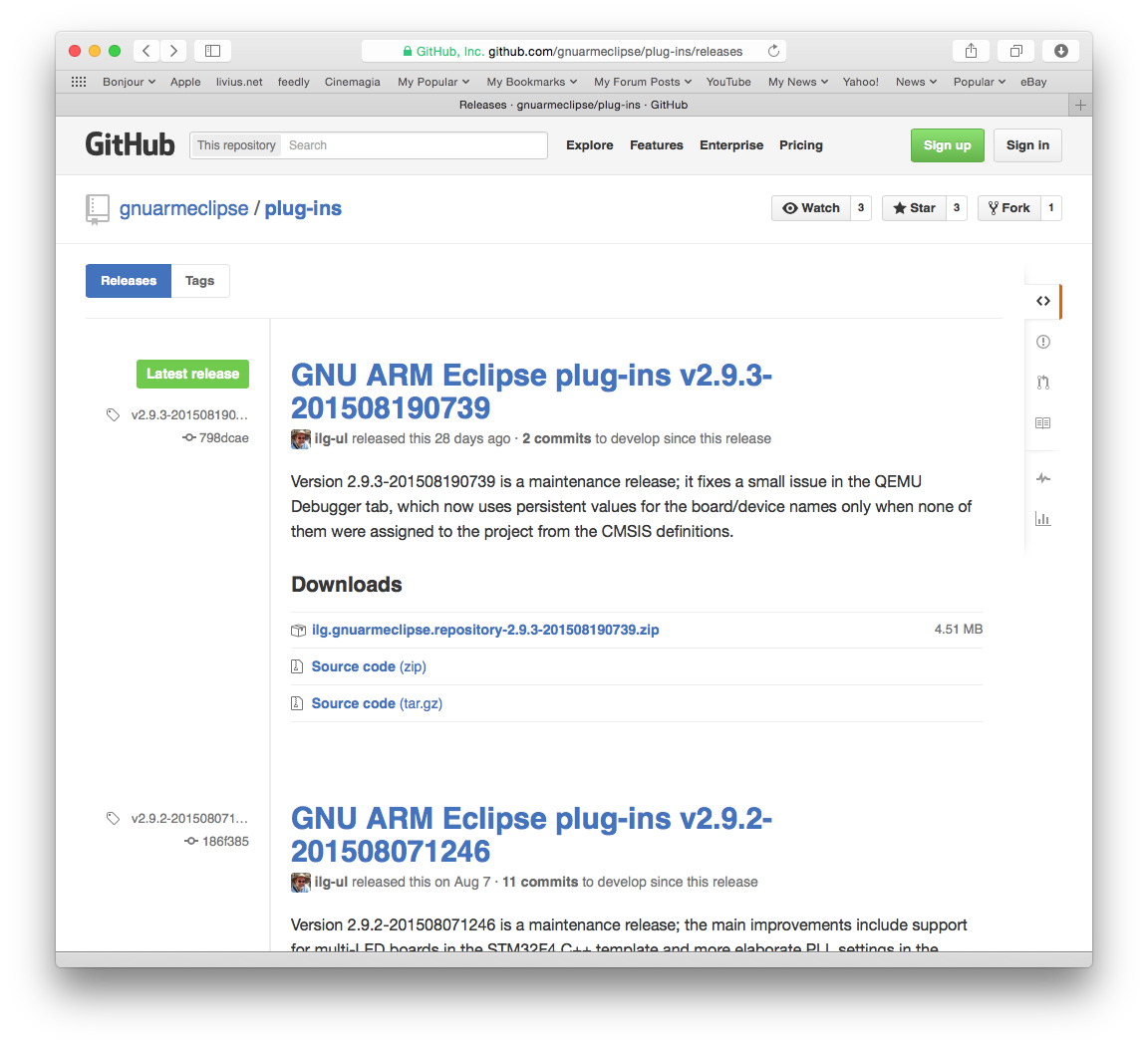
Navigate to the desired version and download the attached archive, it should be a zip file with a long name like:
ilg.gnumcueclipse.repository-5.1.1-202007271621.zip
Please note that not all plug-in versions run on all Eclipse versions, and usually new plug-in versions may require new Eclipse versions, so better try to stay as up-to-date with the Eclipse as possible. (For Eclipse Luna 4.4 and later, use versions 3.x; for Eclipse Kepler 4.3, use versions 2.x; for older Eclipses, try the final 0.5.5 version, but keep in mind it is no longer maintained).
